For Win users, a trusted community member (@ulrich95) has compiled a win binary and shared it at:
For windows users, your antivirus software (including windows defender) will quarantine because it detects the mining software builtin to the node.
Before you download the above .zip file… In your preferred location, create a new folder: safexcore
In your Antivirus software, add the safexcore folder to your Exclusion List
Download the .zip file (link above) and save it to your safexcore folder.
Navigate to your safexcore folder. Your new file should be the only file in the folder.
Extract all files in the zip into the safexcore folder.
On the safexd file, right click - Properties and Unblock in the General tab.
Click on the Compatibility tab and tick the Checkbox beside “Run this program as an Administrator”.
Apply & OK
Now, create a shortcut to the safexd file.
On the shortcut, right-click Properties field and find the Target file field.
To the right of what is already there, add --testnet as shown in the image below.
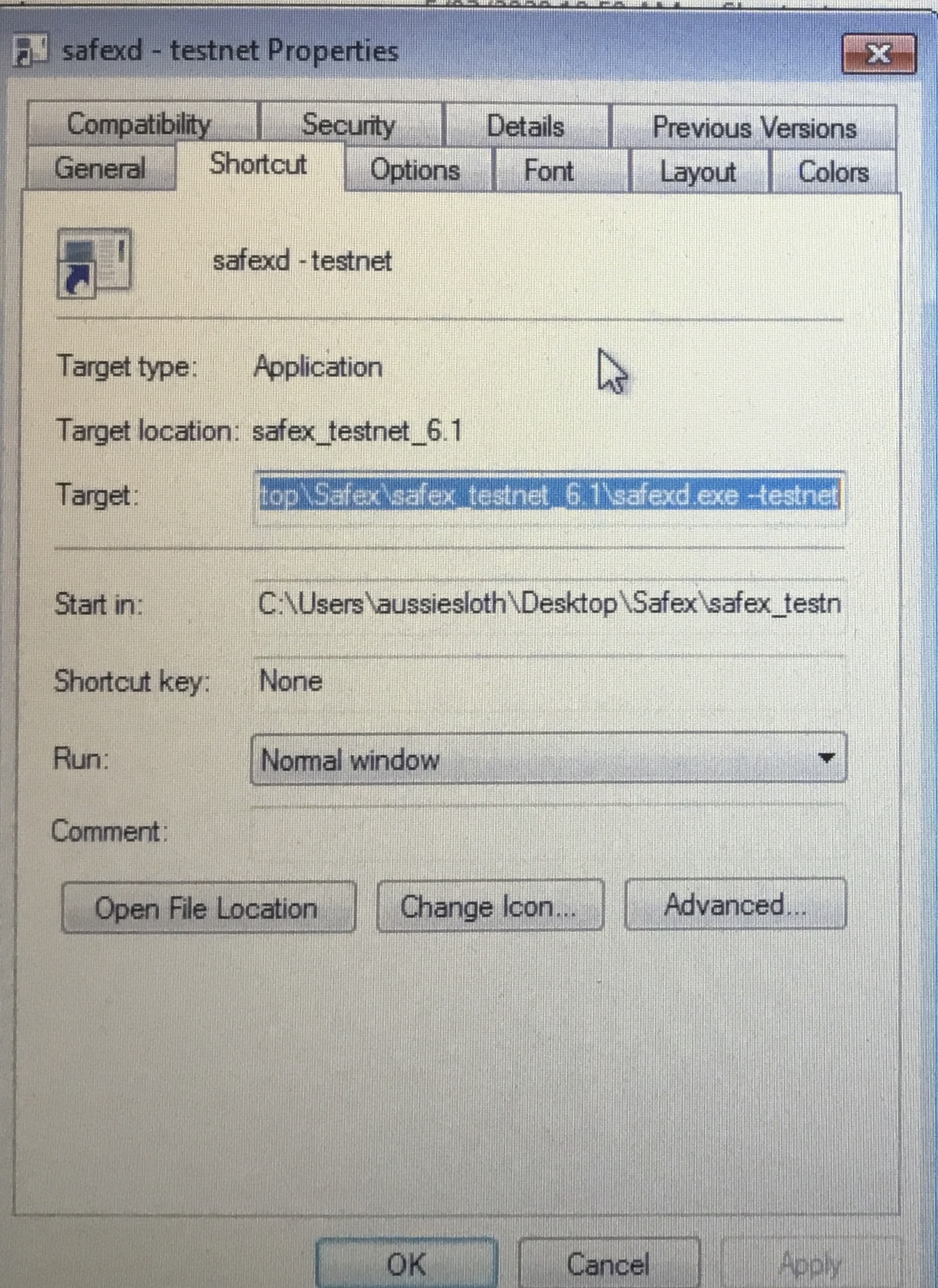
You can now launch the program in testnet mode by starting the shortcut. A window will appear and the blockchain will begin to syncronize.
This will take some time, depending upon your computer speed and internet connection.
Once synchronised, you are running a full node.
Congratulations, and thanks for your support.
NB: Running a node comes with additional responsibilities: you need to stay up-to-date with project development and ensure your testnet node is the latest code version, performing updates as soon as practicable after code updates are released by the development team.
THIS IS IMPORTANT!!
Failure to keep your node updated can be detrimental to the Safex blockchain testnet network.
There will likely be a new testnet iteration in the coming weeks, so please stay tuned.